Create new empty GitHub Repository
1. Open the page of your repositories
Go to the Repository Tab and click on New on the top right.

2. Add information for your new repository
Enter a repository name and a description if you want.
!!Make sure to not tick the checkbox for Add a README file!!
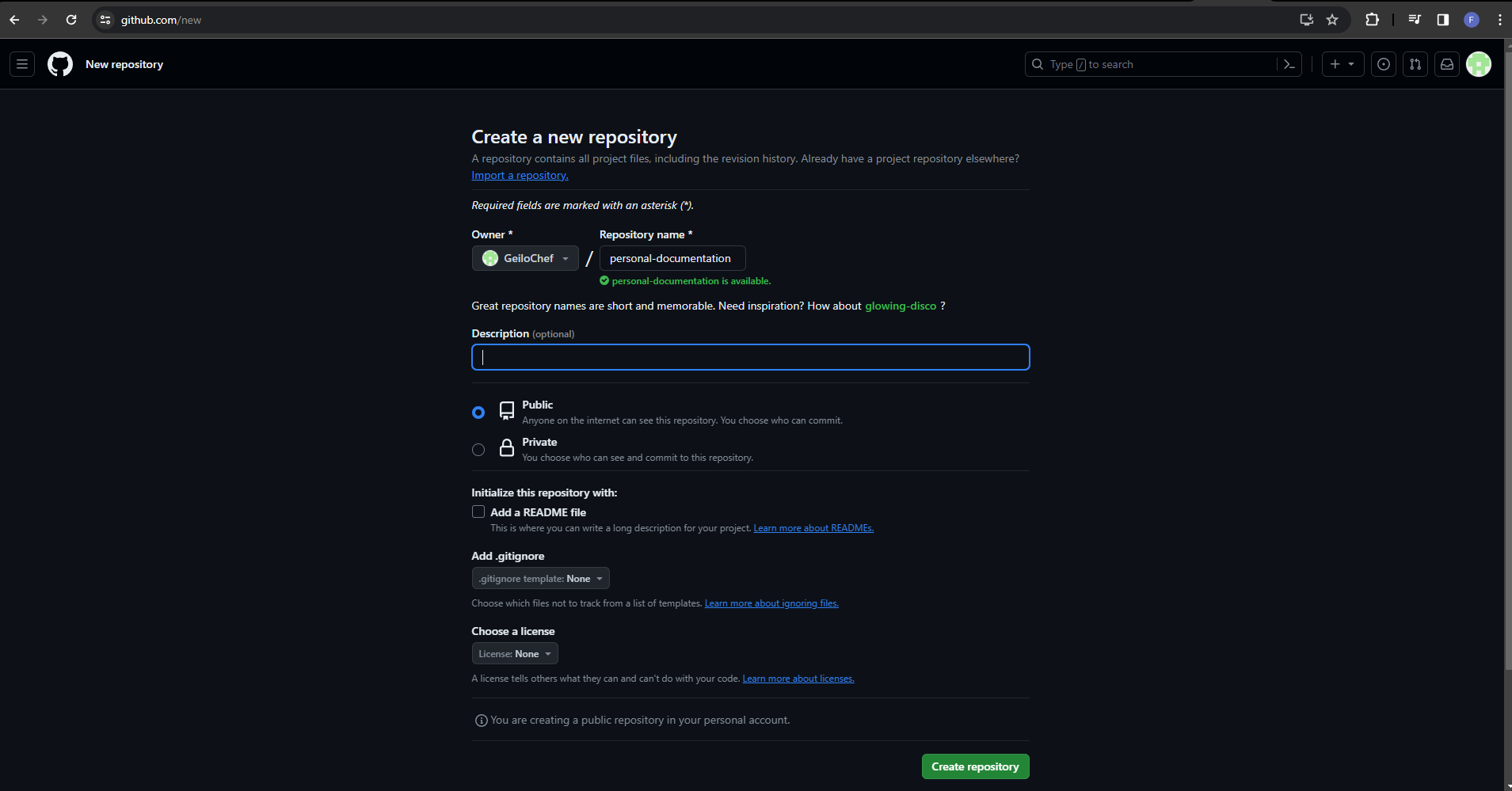
Now you can click on Create repository on the bottom right.
✔️ You have now successfully created an empty GitHub.