How to deploy on GitHub Pages
On GitHub pages, you can deploy a static web page for free. This can be fully automated with GitHub actions, if you are using a free repository.
Follow the following steps to deploy a static web page on GitHub pages.
1. Add GitHub action to build the application
You can make use of GitHub actions to automatically re-build your application once you push something to a certain branch. For this, follow the Guide How to build a static webpage with GitHub Pages.
2. Setup GitHub pages in the settings of your repository
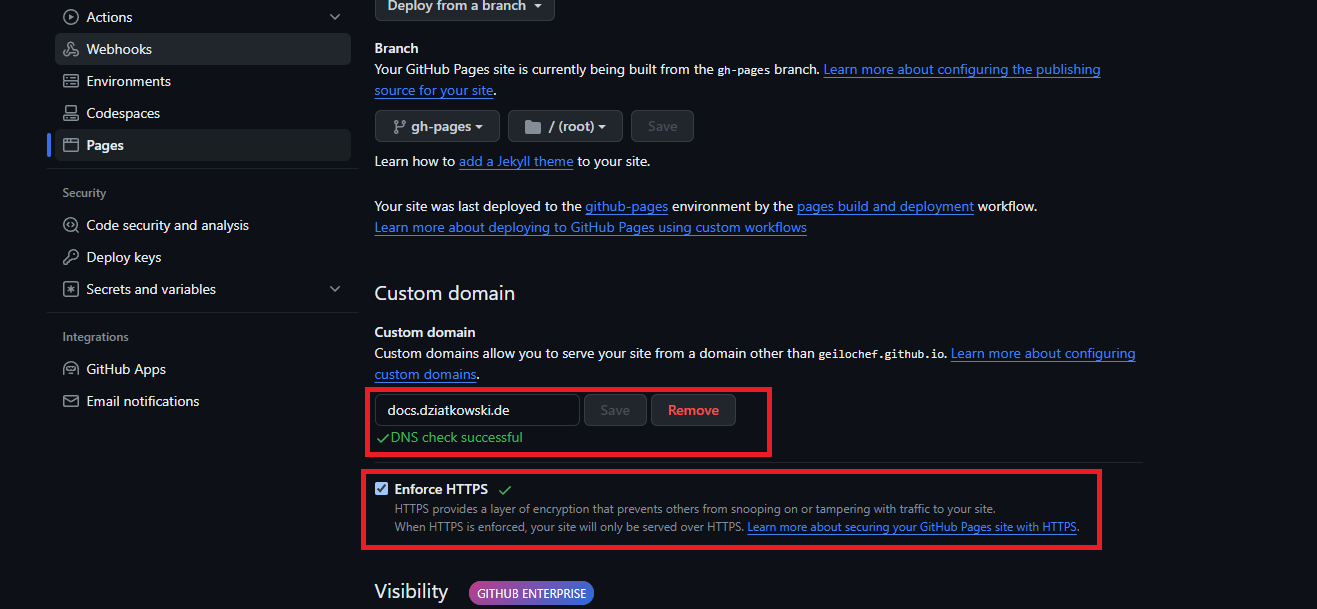
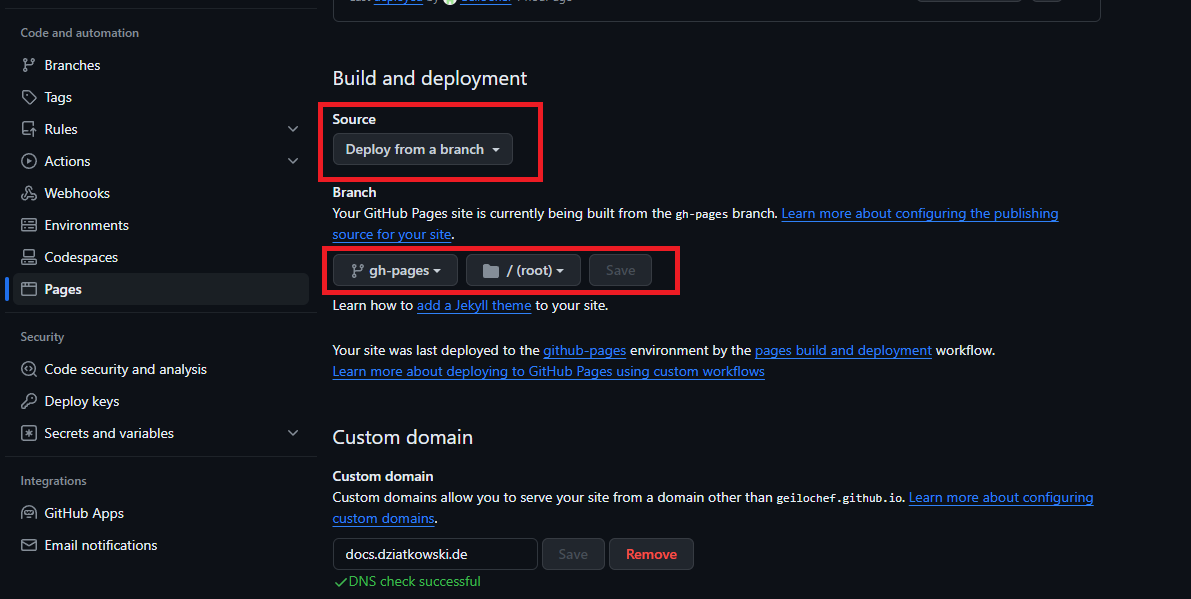
Before you can deploy your built website with GitHub pages, you need to activate GitHub pages in the settings of your repository.
- Select the Source to be
Deploy from a branch - Select the Branch
gh-pagesto be the branch that will be deployed
🔎 Info
After selecting Deploy from a branch for the first time it might take some time to do the first run. Only after that the branch gh-pages is created on your repository, and you can select it in the dropdown.
3. How to use you own Domain?
To use your own domain you have to do two things.
3.1 Set up your DNS settings for the Domain you want to use
The following settings are what you need to set in your providers DNS config for your Domain. For a detailed documentation, follow the steps on the Official Documentation.
| Host | Type | Destination |
|---|---|---|
| @ | A | 185.199.108.153 |
| @ | A | 185.199.109.153 |
| @ | A | 185.199.110.153 |
| @ | A | 185.199.111.153 |
| @ | AAAA | 2606:50c0:8000::153 |
| @ | AAAA | 2606:50c0:8001::153 |
| @ | AAAA | 2606:50c0:8002::153 |
| @ | AAAA | 2606:50c0:8003::153 |
| @ | AAAA | 2606:50c0:8003::153 |
| www | CNAME | geilochef.github.io |
🔎 Info
For subdomains, you only have to set the CNAME!
| Host | Type | Destination |
|---|---|---|
| docs | CNAME | geilochef.github.io |
3.2 Enter the custom domain in the GitHub pages settings of your repository
Enter the Domain you created the DNS records for into the input field in the settings of your repository, then click on "Check DNS Settings". This might take some while and possible will at first fail. If you set the settings from above, just wait some time and try again - it will eventually work for sure.
💡 Tip 💡
Tick the checkbox for Enforce HTTPS to ensure your page will only be served over HTTPS